 Livery Lab
Paint the car, not the UV map
Brush, fill and decals land straight on the 3D model. The car arrives from the catalog, and the finished livery packs into an archive the game takes as it is.
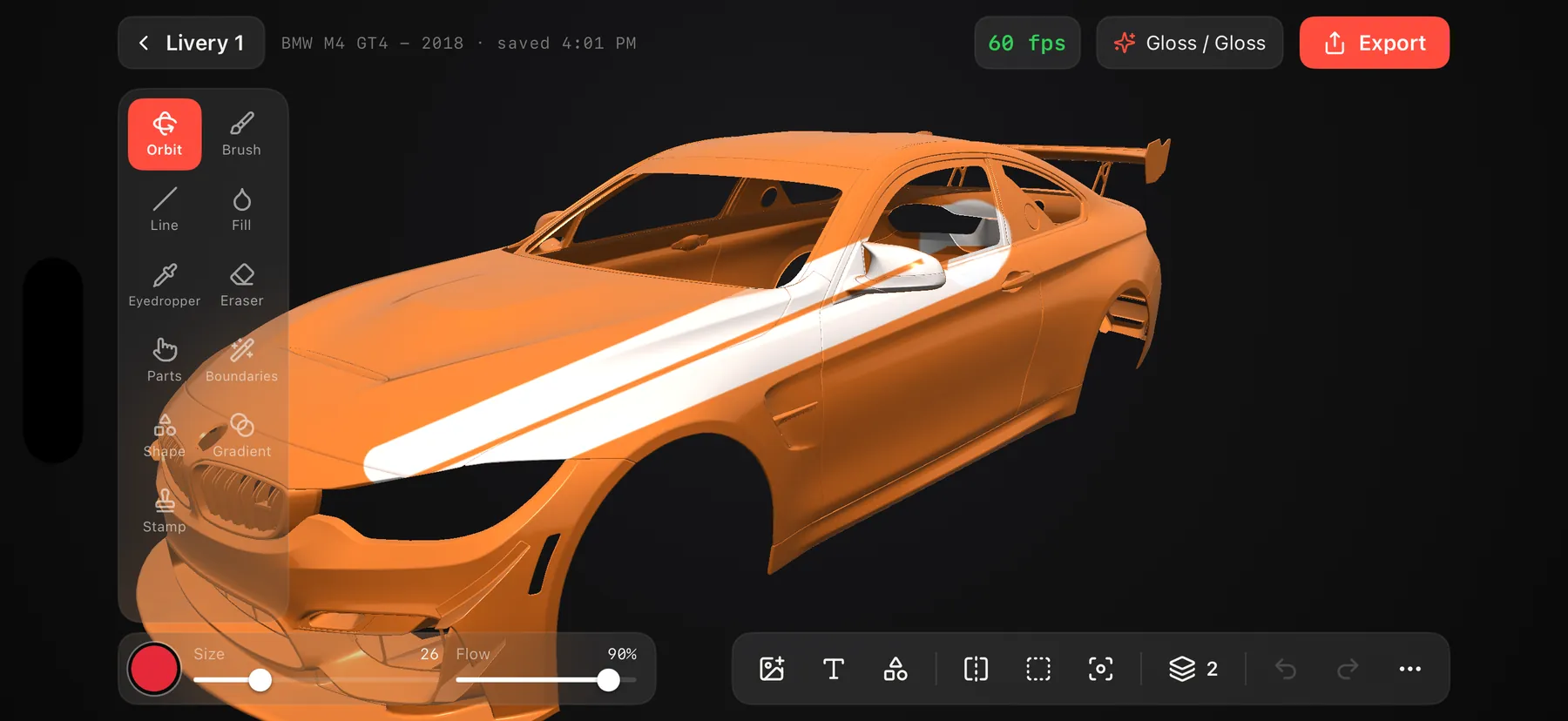
From a bare body to the track in three steps
No templates, no Photoshop, no hunting forums for the right file.
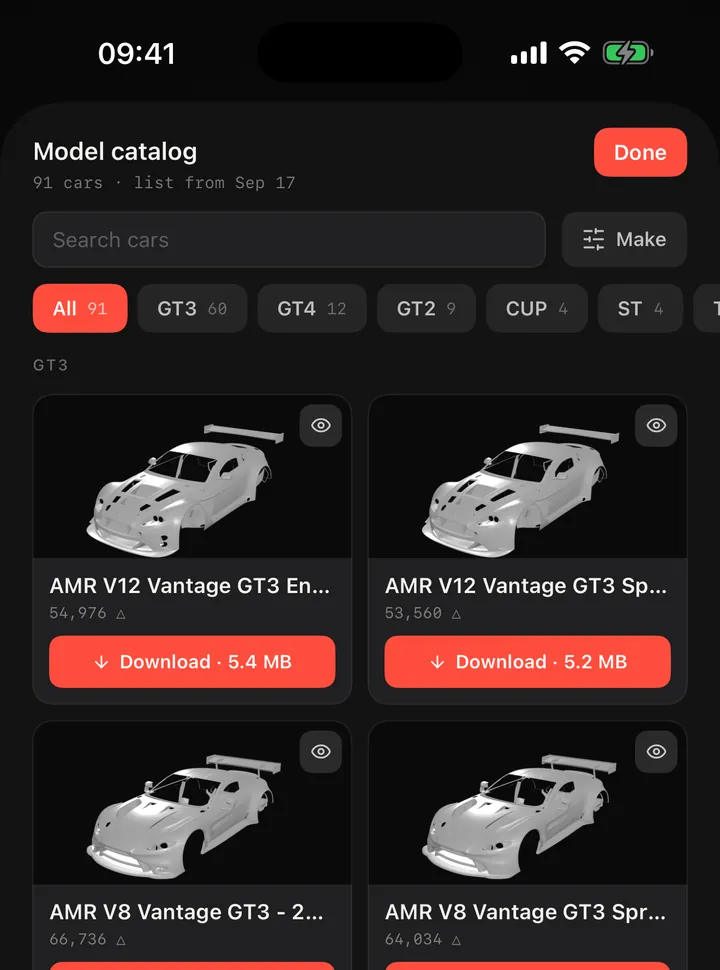
Pick a car
A catalog by class with search by name. Tap Download and the model lands in your garage with the car number the game needs. Your own .obj or .glb works too.
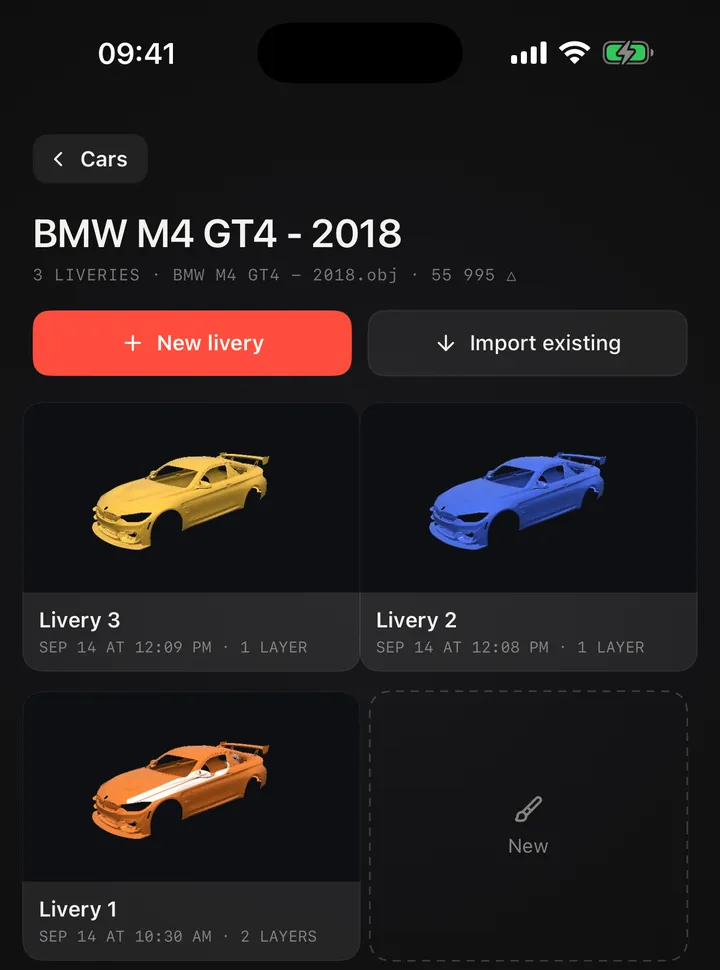
Paint it
As many liveries per car as you like. Brush, part fill or whole-body fill, decals and text — all right on the model.
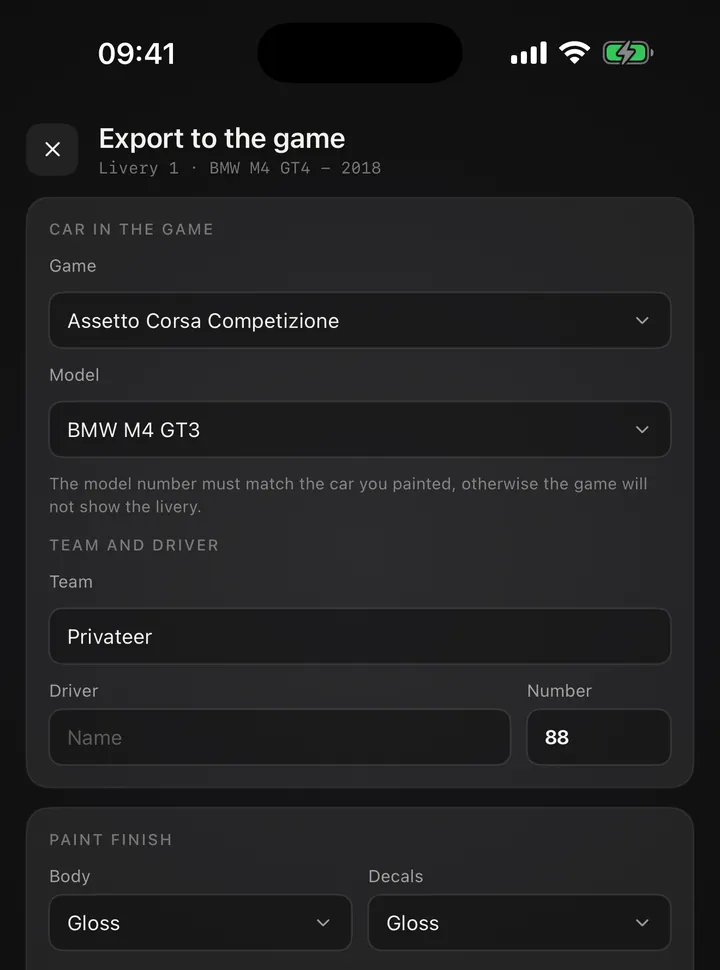
Send it to the game
The app builds an archive — all that is left is to unpack it on your computer into the Customs folder. A README inside repeats these steps.
Everything a livery needs, in your pocket
Layers like a real editor
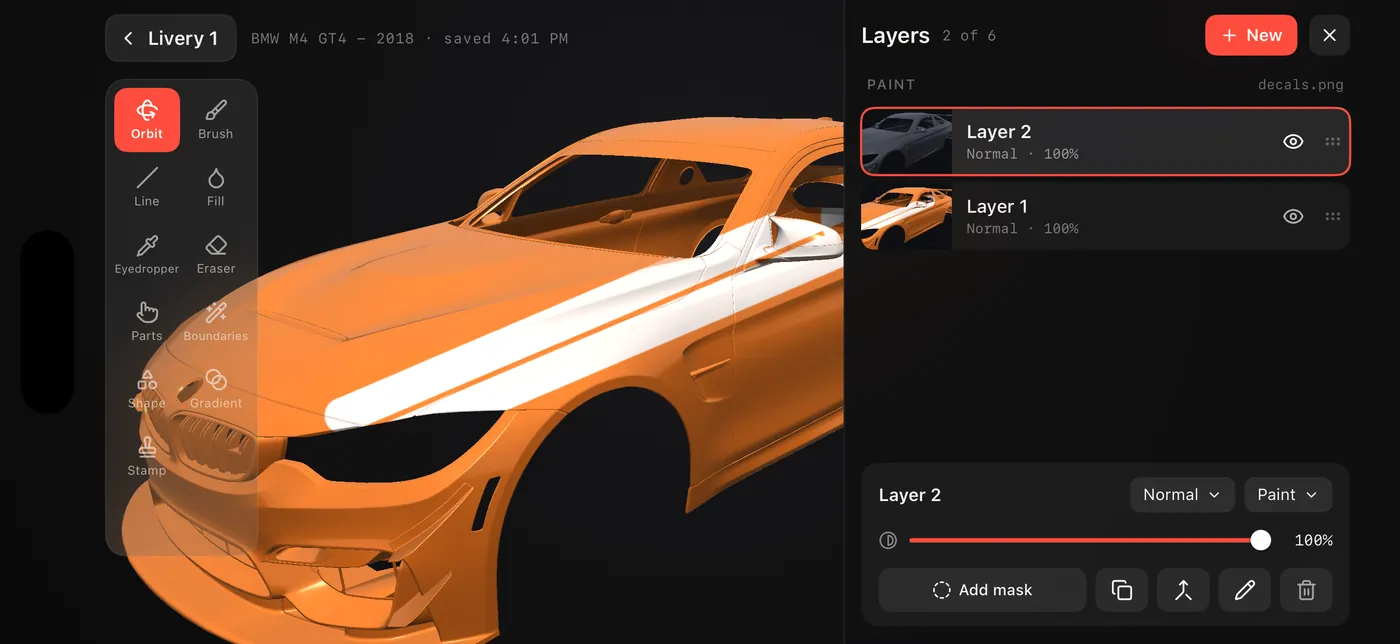
The layers panel sits next to the car. Blend modes — normal, multiply, screen; masks; reorder by drag; separate undo history per layer.
A brush that understands the bodywork
- Stylus pressure, edge hardness, smoothing
- Mirror symmetry
- Panel bounds by edge and by lasso
- Eyedropper picks colour straight off the car
- Glass and mirrors refuse paint
Decals and text
- Your own images, photos and SVG
- Bent to the shape of the bodywork
- Text with an outline and along an arc
- A placed decal can be moved again
Colour, exactly on tone
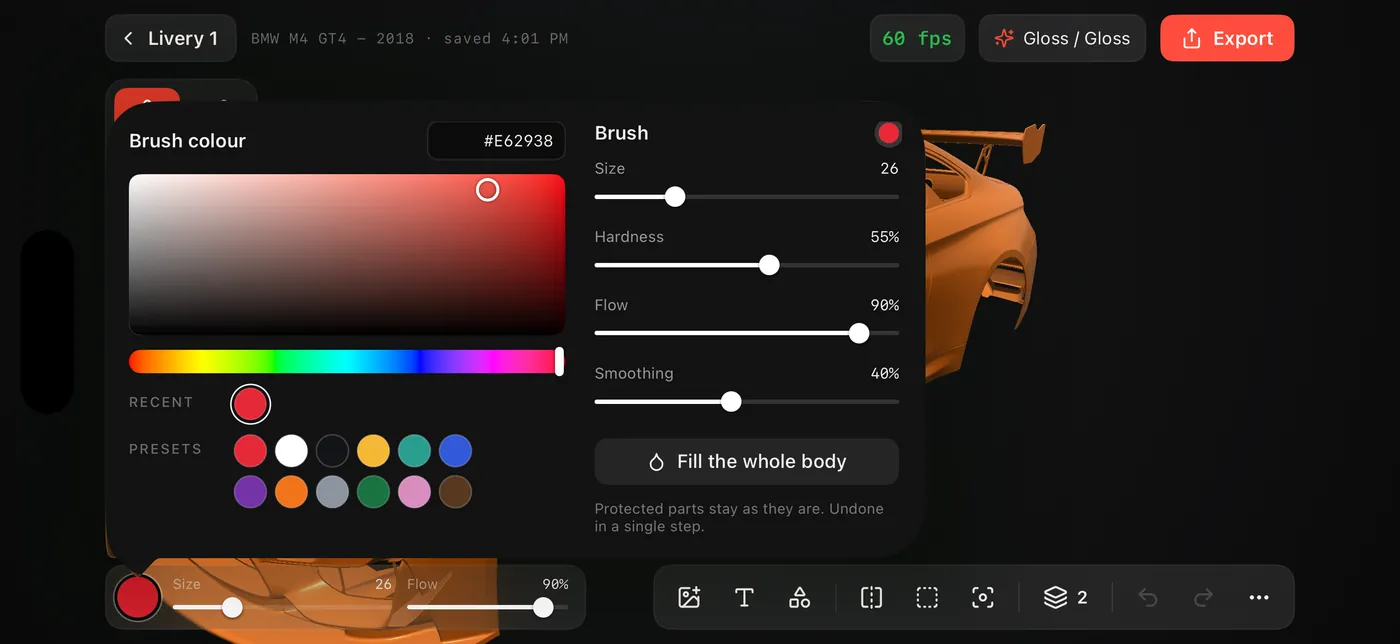
A picker with HEX, recent and ready-made colours. Fill the whole body in one step — and undo it in one step too.
Gradients and stamps
Colour fades, stripes and chevrons from ready-made elements.
Paint type
Gloss and other finishes for body and decals — the way the game shows them.
Fearless undo
Undo and redo, with separate history per layer.
An archive the game takes as it is
Pick the game and the model — the app lays the textures out into folders and labels the car. The model number matches the one you painted on.
- Cars and Liveries folders
- A README with the steps inside
- Team, driver and number
- Body and decal finish
Your liveries stay yours
No account and no ads. Models, layers and images are kept on the device and the developer never sees them. The details are in the privacy policy.
Where do I get a car model?
The app has a catalog: a list of cars by class, a Download button, and the model lands in your garage together with the car number the export needs. The game keeps its own cars in the closed .kn5 format and will not hand them over, but the catalog spares you the search. Your own .obj or .glb file works too.
How do I get the livery into the game?
Tap the export button, pick the game and the model, and build the archive. Move it to your computer, unpack it and copy the folders into Documents\Assetto Corsa Competizione\Customs. The model number must match the car you painted on, or the game will not show the livery.
Do I need a computer?
Only for the last step: the game runs on a computer, so the archive has to go there. Send it to yourself any way you like — AirDrop, mail or a cloud drive.
Which games are supported?
Assetto Corsa Competizione and the original Assetto Corsa. Each gets an archive with its own folders and its own textures.
Is there an Android version?
It is on its way to Google Play. For now the app is on iPhone and iPad.
What does the app know about me?
There is no account and no ads, and your liveries and images go nowhere. The details are in the privacy policy.
Something went wrong?
A question, a bug or a wish — write to me. I answer in English and in Russian.
- 01Which device and which system version
- 02What you did, and what happened instead
- 03If it is about a model — its format and where it came from
Your first livery in an evening
Download, take a car from the catalog and start painting.